
Plan digital night vision scope batteries around the exact battery specification, your scope’s operating time and the separate power needs of your IR illuminator—not a generic all-night runtime claim. Start with fully charged, manufacturer-approved batteries, verify the setup under your normal settings and carry a compatible backup that you can fit safely in the dark.
- Digital night vision scope batteries must match the scope’s specified cell or battery pack, not just its compartment.
- Plan scope power and IR illuminator batteries separately; either device can stop your night vision setup working.
- Check runtime with your usual settings before relying on the setup for a full night.
- Goingdark suits Australian hunters buying thermal and night vision optics; choose battery accessories by exact model compatibility.
Why this matters
A charged scope does not guarantee a working night vision setup. Digital night vision uses available light or infrared illumination to form an image; an exhausted external IR torch can leave the scope powered but without enough illumination for the conditions.
Treat the scope, illuminator and spare batteries as a complete power system. For your 2026 setup, write down what powers each device before choosing accessories from Goingdark. Battery format, charger compatibility and access to the battery compartment matter more than collecting interchangeable-looking cells.
The practical buying decision is whether you can restore power during your hunt without an improvised charger, an unsuitable cell or a cable arrangement that interferes with the equipment. Make that decision at home, not beside a paddock gate.
How do you plan digital night vision scope batteries for a full night?
Use the scope manual to establish compatibility, then check the complete setup with the features you actually use. A published battery-life figure is a reference for the stated operating conditions, not a promise that every configuration will run for the same period.
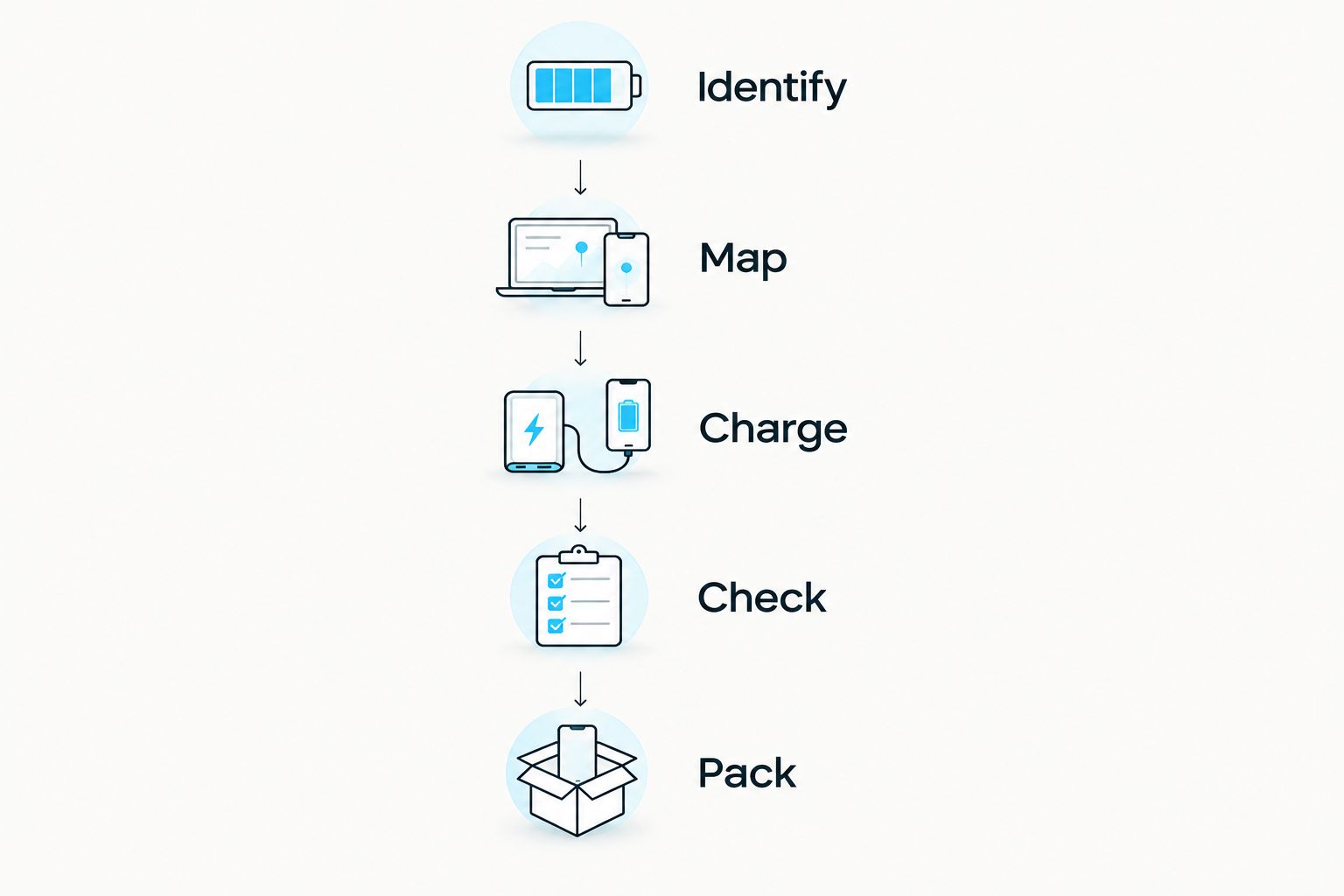
- Identify the exact scope model. Record the battery or pack specified in its manual, including any restrictions on replacement cells. Similar model names do not establish identical battery requirements.
- Map every powered device. Include the scope, external IR illuminator and any separate observation device you intend to carry. Give each its own charging and spare-power plan.
- Charge with approved equipment. Follow the battery and device instructions. A connector that fits does not prove that the charging arrangement is suitable.
- Check normal operation before departure. Use your usual display brightness, recording and wireless settings. Follow the manufacturer’s operating instructions and record elapsed use rather than estimating from memory.
- Practise the backup procedure. Confirm how to replace a removable battery or connect an approved external supply. Check whether power is interrupted and which settings need checking afterwards.
- Pack the backup separately. Protect spare terminals in a suitable case, keep charged and used batteries identifiable, and leave the correct charger at your charging location.
This is a repeatable preparation routine, not a recommendation to operate equipment unattended or deliberately drain batteries beyond the manufacturer’s instructions. Your 2026 battery checklist should reflect the equipment you own now, rather than an older scope’s power arrangement.
A useful record includes the starting battery indication, the features enabled, elapsed operating time and the point at which you decide to change power. Keep scope and illuminator notes separate: their battery indicators do not describe the same reserve.
Which battery arrangement suits your hunting setup?
The best arrangement is the one supported by your scope and suited to how you carry it. Removable batteries, built-in batteries and approved external supplies solve different problems; none establishes an all-night runtime by itself.
| Power arrangement | Best for | Practical advantage | Trade-off | Check before relying on it |
|---|---|---|---|---|
| Removable battery or pack | Hunters who need to replace power away from a charging point | A charged compatible spare can replace an exhausted battery | You must manage loose spares and open the compartment | Exact battery specification, replacement procedure and compartment access |
| Built-in battery | Hunters who prefer fewer separate battery components | No routine removal of the internal battery | Recharging requires access to a suitable power source | Charging instructions and whether operation while charging is permitted |
| Approved external supply | Hunters whose scope explicitly supports external operating power | Can provide another supported power source | Adds a cable, connector and another item to secure | Required input, cable suitability and manufacturer instructions |
Choose by supported operation, not by the most convenient-looking connector. A charging port does not automatically establish that a scope supports operation from an external supply. Likewise, the presence of an internal battery does not establish that it remains powered during a removable-battery change.
For a walking hunt, consider the weight and handling of the complete arrangement. For a vehicle-based outing, consider how you will secure the power source and prevent cable strain. Neither scenario removes the need to confirm compatibility.
Removable batteries: convenient replacement, more spare management
A removable battery makes a field change possible when the scope is designed for it. The compromise is managing charged spares, keeping contacts protected and reaching the compartment without disturbing the equipment.
Check the full manufacturer specification, not just the format name. Required voltage, terminal style, protection requirements and dimensions can differ between cells that look similar.
Built-in batteries: fewer loose parts, a charging dependency
A built-in battery removes a routine battery-swapping task. It also makes access to suitable charging equipment part of your plan when the stored charge is insufficient.
Check the permitted charging conditions and any instructions about using the scope while connected. Do not assume a power bank turns every built-in-battery scope into an externally powered scope.
External power: useful support, extra equipment to manage
External power is relevant only when the manufacturer supports the intended arrangement. The benefit is another power source; the compromise is carrying and securing both the supply and cable.
Check cable routing through the equipment’s normal movement. Do not leave a connector carrying cable tension, and follow the scope’s instructions for protecting ports from moisture.
What changes your battery plan?
For 2026, build your plan around the complete operating arrangement rather than the largest capacity label you can find. These factors belong on your pre-hunt checklist:
- Battery condition: Rechargeable batteries age. Reassess a battery that no longer supports the use you previously recorded, and remove damaged batteries from service.
- Temperature: Battery performance and charging limits depend on battery chemistry and temperature. Follow the specified operating and charging limits rather than improvising a warming method.
- Enabled features: Recording, wireless connections and display settings form part of the operating configuration. Match your preparation check to the features you intend to use.
- IR illuminator use: An independently powered torch has its own battery consumption. Scope runtime does not include that separate supply.
- Time away from charging: Account for the period when you need the equipment operating, plus access to replacement power. Travel time and active scope use are not the same measurement.
- Backup access: A compatible spare is useful only if you can reach and fit it. Check the compartment with the actual mount and accessories installed.
Do not turn these factors into an unsupported percentage allowance. Carry reserve power based on your own operating check and the manufacturer’s instructions, rather than claiming that a particular spare count guarantees every full night.
How do you choose a compatible spare battery?
Start with the exact battery reference in the scope manual. A shared cylindrical format is not a universal compatibility standard, and a higher capacity label does not establish safe operation in your device.
Many conventional rechargeable lithium-ion cells carry nominal ratings of 3.6 V or 3.7 V; a typical alkaline cell is marked 1.5 V. Those are battery-category examples, not specifications for your scope. Never substitute one chemistry for another because the cell appears to fit.
An 18650 format name is another starting point, not the complete purchase specification. Read the required voltage, terminal configuration, physical limits and protection requirements together, and use the manufacturer-approved charger.
Goingdark lists a PARD 18650 battery, but the product name alone does not establish compatibility with your scope or IR torch. Match the listing and manufacturer instructions to your exact device before buying a spare.
A dedicated pack also needs an exact compatibility check. Do not assume that battery accessories for thermal equipment transfer to digital night vision, or that batteries within one brand work across every model.
Inspect the battery before packing it
Check for damage, leakage, swelling or compromised insulation before use. Stop using a battery that shows damage and follow the manufacturer’s handling and disposal instructions.
Keep loose cells away from keys, tools and other conductive objects. A suitable battery case protects the terminals and makes your charged-spare system easier to maintain.
How do you plan batteries for the IR illuminator?
Give the IR illuminator its own battery entry on your 2026 packing list. Record the specified cell, the charging arrangement and the replacement procedure separately from the scope.
IR wavelength and battery compatibility are different specifications. An 850 nm illuminator and a 940 nm illuminator describe infrared output wavelengths; those numbers do not identify the required battery or establish runtime.
Check illumination with the scope you intend to use. Set the beam and output for the conditions, then include those settings in your operating check rather than testing the torch under an unrelated configuration.
If you carry separate scope and torch spares, label the cases by device. Shared-looking batteries invite mistakes, particularly when you are working by a head torch and trying to change power quickly.
Never treat a powered display as proof that the complete system is ready. Confirm a usable image with the intended illumination, and do not confuse detection with positive identification.
Can I use a power bank with my digital night vision scope?
Use a power bank only when the scope manufacturer permits the intended connection and operating mode. Confirm the required input and suitable cable; USB charging capability alone does not establish support for external operation.
The benefit is access to another power source. The trade-off is an extra cable and device to manage, so test the approved arrangement before carrying it into the field.
Will a battery change interrupt my scope?
A battery change interrupts operation unless the scope has a supported arrangement that maintains power during the change. Check the exact model’s instructions rather than relying on another scope’s behaviour.
Practise the approved procedure with the equipment safely set up. After reconnecting power, confirm normal operation and relevant settings before resuming use.
FAQ
What batteries do digital night vision scopes use?
Digital night vision scopes use model-specific batteries or battery packs. Check the exact scope manual for the required format, voltage, terminal configuration and any protection requirements before buying replacements.
How many spare batteries do I need for a full night?
Choose your spare batteries from your scope’s operating requirements and your own pre-hunt runtime check, not a universal spare count. Plan the external IR illuminator separately and carry compatible reserve power.
Can I put any 18650 battery in my night vision scope?
No, an 18650 format name does not establish compatibility with your night vision scope. Match the complete manufacturer specification, including voltage, terminal style and physical requirements.
Does my scope battery also power my IR torch?
Do not assume your scope battery powers an external IR torch. Check the illuminator’s power arrangement and make a separate charging and spare-battery plan when it uses its own supply.
Can I run my night vision scope from a USB power bank?
Use a USB power bank only if the scope manufacturer supports that connection and operating mode. Confirm the input requirements and suitable cable before relying on external power.
Does cold weather affect night vision batteries?
Temperature affects battery performance and permitted charging conditions. Follow the battery and scope temperature limits, and do not improvise a heating or charging method.
What should I check before a night hunt in 2026?
Before a night hunt in 2026, check battery compatibility, charge status, protected spares and the complete scope-and-illuminator setup. Practise the approved battery replacement or external-power procedure before departure.
One last thing
The best final check is a restart, not another glance at the battery icon. With the equipment safely set up, confirm that you can restore power using your approved backup and return to normal operation.
Keep that procedure with your 2026 packing checklist. When choosing night vision optics and accessories from Goingdark, match the battery, charger and illuminator to the exact equipment—not simply to the brand name.
Share:
How much eye relief do you need on a digital night vision scope?
How much eye relief do you need on a digital night vision scope?