
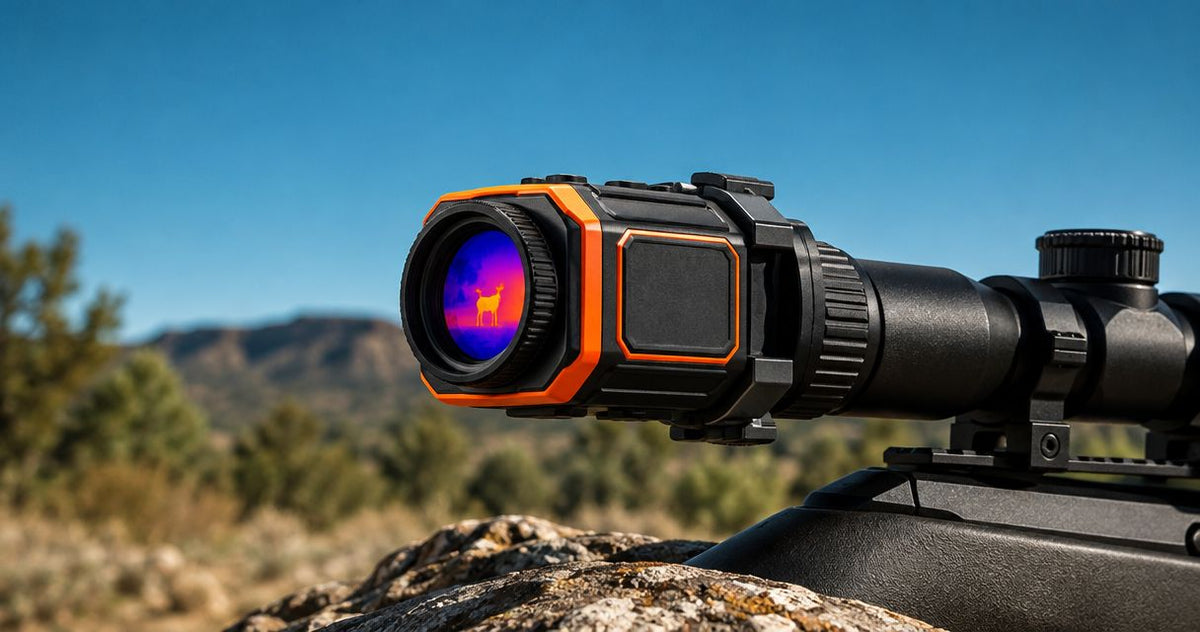
You can use a thermal clip-on up to the day-scope magnification recommended for that exact clip-on model; there is no universal limit. Your useful setting also depends on image detail, field of view and optical alignment, so a scope that turns higher does not automatically give you a better thermal view.
- Thermal clip on magnification is model-specific: follow the clip-on manufacturer’s recommended day-scope range.
- Higher day-scope magnification enlarges the thermal image; it does not add sensor detail.
- Pulsar Krypton 2 XG50 has 640×480 pixels; that specification alone does not establish its magnification limit.
- Use the lowest magnification that shows the detail you need while retaining useful surrounding context.
Why this matters
A thermal clip-on lets you view its thermal image through a compatible day scope. That arrangement makes the day scope’s magnification relevant, but the thermal device still determines what detail enters the image.
For your 2026 purchase, start with the thermal clip-on buying guide for Australian hunters, then check the exact device and adapter combination. Treat compatibility, image quality and repeatable mounting as separate checks rather than assuming one specification answers all three.
The buying mistake is choosing a clip-on because your day scope has a high maximum setting. Match the clip-on to the magnification you actually need, not the highest number on the scope’s adjustment ring.
How much magnification can you use with a thermal clip-on?
The manufacturer’s recommended day-scope range is your starting point. Within that range, use the setting that preserves enough detail and surrounding context for the task; the highest permitted setting is not automatically the most useful setting.
The distinction is between enlarging an image and resolving more information. Your day scope magnifies the image presented by the clip-on, not the original scene directly, so increasing magnification cannot recover detail that the thermal system has not captured.
| Day-scope setting | Best for | Practical advantage | Practical limitation |
|---|---|---|---|
| Lower magnification within the recommended range | Keeping surrounding context visible | Shows more of the thermal image through the scope | Makes individual features appear smaller |
| Higher magnification within the recommended range | Examining detail already present | Makes existing features easier to inspect | Shows less context and makes image limitations more apparent |
| Above the recommended range | Not recommended without explicit manufacturer support | Produces a larger apparent image | Falls outside the stated operating guidance and adds no captured detail |
A visibly larger animal is not necessarily a more clearly identified animal. If increasing magnification only makes the same indistinct outline larger, reduce the setting and reassess rather than treating size as evidence.
For a 2026 shortlist, record the recommended range beside each exact model name. Do not transfer a limit from another model in the same brand or assume that a newer generation uses the same optical arrangement.
Day-scope magnification and digital zoom are different
Day-scope magnification optically enlarges the image coming from the clip-on. Digital zoom enlarges a selected portion of the thermal image electronically, using the information already captured by the thermal sensor.
Both can make objects appear larger. Neither creates additional thermal information, and combining them does not remove the original image’s detail limit.
Check the device’s instructions for clip-on mode before using digital zoom. A control available in handheld observation mode is not proof that the same setting is intended for use ahead of a day scope.
Compare like with like: day-scope magnification against the recommended day-scope range, and digital zoom against the instructions for the selected operating mode. Mixing those specifications produces a misleading comparison.
Also separate the sensor resolution from the display resolution. The sensor captures thermal information; the display presents it. A display with more pixels does not turn a lower-resolution sensor into a higher-resolution detector.
Why useful thermal clip-on magnification varies
These factors explain why the useful setting changes between devices and setups. They are buying checks, not a formula for calculating an unsupported maximum.
- Recommended scope range: The exact model’s operating instructions establish the starting boundary. Another clip-on’s recommendation is not a substitute.
- Captured detail: Sensor resolution and the thermal optics determine the information available before your day scope enlarges it.
- Image presentation: Display resolution and the clip-on’s output optics affect how the captured image appears through the day scope.
- Focus and alignment: Incorrect focus or an unsuitable mounting arrangement can spoil the view before magnification becomes the limiting issue.
- Scene contrast: Thermal imaging depends on differences in emitted infrared radiation. A larger image cannot create a contrast difference that is absent.
- Required context: More magnification means less surrounding view through the day scope. Keep enough context to understand what you are observing.
The practical question is not simply whether the image remains visible. Ask whether the setting helps you distinguish useful features without losing the context needed to interpret them.
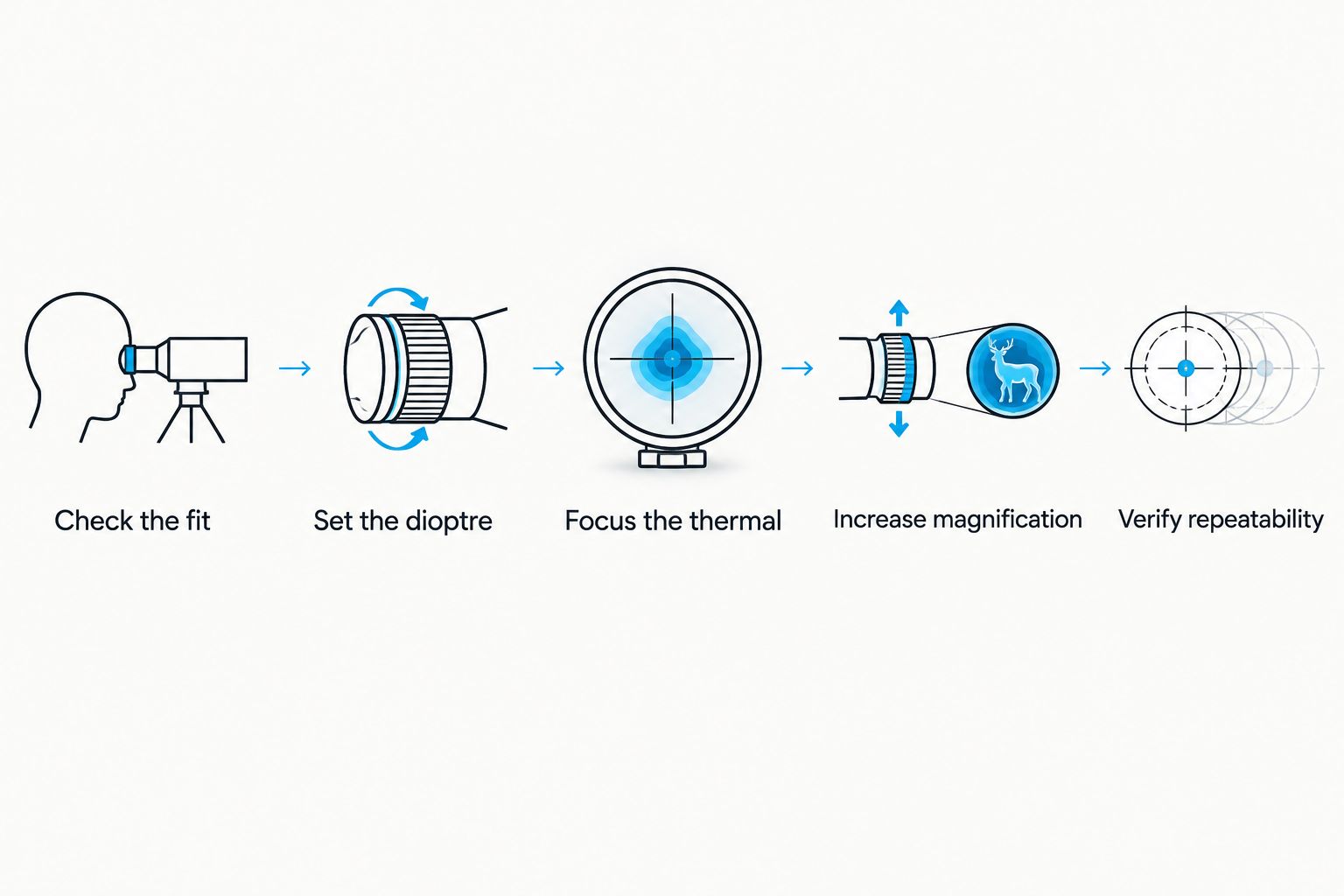
How do you find the useful setting on your own scope?
Set up the combination according to both manufacturers’ instructions before judging magnification. Begin at the lower end of the supported range, then increase it while observing a stationary scene in safe conditions.
Check the fit
Confirm the exact clip-on mode, adapter type and attachment requirements. Measure the part of the scope specified by the adapter manufacturer; do not substitute the advertised objective lens diameter for a required external housing measurement.
The Rusan QR one-piece adapter for HikMicro Thunder is a relevant accessory to check when assessing a Thunder setup. Its product listing does not establish compatibility with every Thunder configuration or every day scope, so verify the exact pairing and size before ordering.
Set the dioptre
Follow your day scope’s instructions to make the reticle sharp. Keep this separate from thermal focus: adjusting the dioptre is not a substitute for focusing the clip-on on the scene.
If you change several controls together, you lose track of which adjustment improved the view. Set each part of the optical chain deliberately.
Focus the thermal
Focus the thermal device as its instructions require, then assess recognisable stationary features. Do not judge maximum useful magnification from an image that was already out of focus at the lower setting.
Keep the observation scene consistent while comparing settings. Changing the scene at the same time makes it harder to separate magnification effects from differences in thermal contrast.
Increase magnification
Increase the day-scope setting gradually within the recommended range. Look for a genuine improvement in your ability to distinguish features, not just an increase in apparent size.
Stop increasing magnification when the larger view no longer adds useful understanding. Return to the lower setting if you lose necessary context or the enlarged image becomes harder to interpret.
Verify repeatability
Follow the manufacturer’s procedures for checking the setup after installation or removal and refitting. A clear image is not proof that the mounting arrangement performs correctly.
Do not use magnification to compensate for an installation problem. Resolve the fit and alignment first, then assess the image again.
What do Pulsar Krypton sensor specifications tell you?
The Pulsar Krypton 2 listings illustrate why sensor specifications help with a shortlist but cannot replace a model-specific magnification recommendation. Compare the stated detector figures first, then confirm the required viewing configuration and supported scope range.
| Model | Listed sensor resolution | Listed pixel pitch | Best for this shortlist | Limitation of these specifications |
|---|---|---|---|---|
| Pulsar Krypton 2 XQ35 | 384×288 pixels | 17 µm | Buyers assessing the lower-resolution Krypton option | These figures do not establish a day-scope magnification limit |
| Pulsar Krypton 2 XG50 | 640×480 pixels | 12 µm | Buyers prioritising more detector pixels in their comparison | More pixels alone do not establish usable identification distance or scope compatibility |
The Pulsar Krypton 2 XG50 has more detector pixels than the Pulsar Krypton 2 XQ35. That is a useful distinction, but it does not justify assigning either device an invented magnification ceiling.
Likewise, 12 µm and 17 µm describe pixel pitch, not how much day-scope magnification you can use. Pixel pitch belongs in the optical comparison alongside the detector and lens; it is not a standalone buying verdict.
For your 2026 comparison, verify the exact supplied configuration, required accessories and manufacturer’s clip-on instructions before choosing either listing. A product described as a thermal monocular should not be treated as a complete day-scope attachment package without checking those details.
GoingDark is best for Australian hunters shopping for thermal optics matched to their intended setup. The useful decision here is model-and-configuration fit, not a claim that one specification makes a device suitable for every hunter.
These GoingDark thermal optics listings are relevant to that comparison. Their product titles contain distance figures, but those figures must not be treated as identification distances or as evidence of a supported day-scope magnification range.


Does higher magnification help you identify an animal?
Higher magnification helps you inspect features already present in the thermal image; it does not guarantee identification. Detection, recognition and identification describe different levels of information, so keep them separate when reading specifications.
If the scene lacks enough detail to establish what you are observing, enlarging it is not a remedy. Never treat a detection-distance specification as an identification-distance specification.
Is a thermal clip-on better than a dedicated thermal scope?
A thermal clip-on suits a buyer who wants to retain a compatible day scope, provided the complete combination is supported. A dedicated thermal scope suits a buyer comparing a self-contained thermal sight rather than an optical chain built around an existing day scope.
| Arrangement | Best for | Main advantage | Main trade-off |
|---|---|---|---|
| Thermal clip-on and compatible day scope | Retaining an existing day-scope arrangement | Uses the day scope for viewing the thermal image | Requires checks across the clip-on, scope and adapter |
| Dedicated thermal scope | Choosing an integrated thermal sight | Removes the separate day-scope compatibility question | Does not serve the same role as adding thermal ahead of an existing day scope |
Choose the arrangement first, then compare models within it. A high advertised zoom figure is not a reason to switch categories without considering how you intend to use the equipment.
What should you confirm before ordering?
For a 2026 order from GoingDark, write down the exact day-scope model, the clip-on model and the intended adapter. Add the manufacturer’s recommended magnification range and the scope measurement required for that adapter.
Then check whether your usual viewing setting falls inside that range. If it does not, reassess the combination rather than assuming the mismatch disappears with a higher-resolution sensor.
GoingDark thermal optics should be compared on verified specifications and the equipment you already own. This avoids buying an accessory because its category name sounds right while overlooking the fit that determines whether the setup works.
FAQ
What is the maximum thermal clip on magnification?
The maximum is specific to the clip-on model and its manufacturer’s recommended day-scope range. There is no universal limit that applies to every thermal clip-on.
Can I use my day scope’s highest magnification with a thermal clip-on?
Use the highest day-scope setting only if it falls within the clip-on manufacturer’s recommended range. Even then, a lower setting can provide a more useful balance of detail and surrounding context.
Does turning up the scope add thermal detail?
Turning up the day scope enlarges the thermal image but does not add captured detail. Features absent from the original image do not appear simply because it is larger.
Is a higher-resolution thermal sensor better for magnification?
A higher-resolution sensor captures more detector samples, but it does not establish the complete system’s usable magnification range. Compare the optics, display and manufacturer’s recommendation as well.
Are digital zoom and day-scope magnification the same thing?
Digital zoom and day-scope magnification are different operations. Digital zoom electronically enlarges image information, while the day scope optically enlarges the image presented by the clip-on.
Does a detection-distance figure tell me how far I can identify an animal?
A detection-distance figure does not establish identification distance. Seeing a thermal object and establishing what it is require different amounts of information.
Will any adapter fit my thermal clip-on and scope?
An adapter must match the exact device arrangement and the scope dimensions specified by its manufacturer. Check the required external measurement rather than assuming the objective lens diameter is sufficient.
One last thing
Before your 2026 purchase, write down the magnification setting you actually use most often on your day scope. That single reference point makes the compatibility question more useful than asking which clip-on tolerates the biggest number.
Take that setting and the exact scope model to GoingDark when comparing options. Buy for a supported combination with useful detail, not maximum enlargement.
Share:
How do you check zero after fitting a thermal clip-on?