
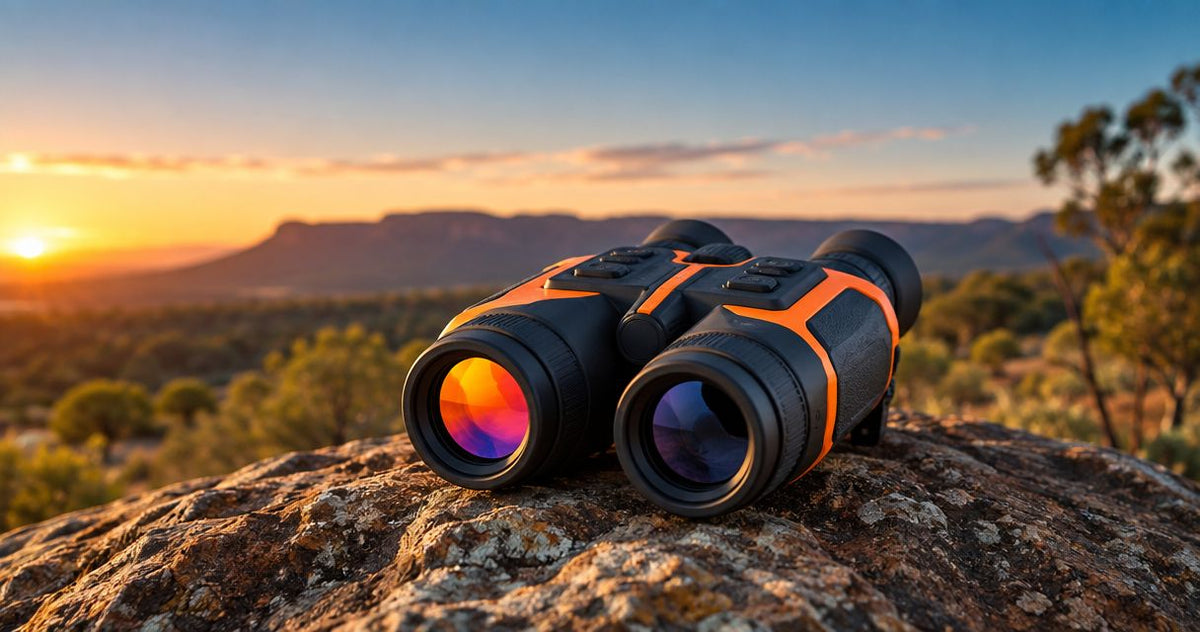
Choose thermal-only binoculars for dedicated heat-based scanning; choose multispectral binoculars when you also need a separate visible-light or night-vision view in the same handheld device. For Australian hunters comparing thermal binoculars in 2026, the deciding question is whether that additional channel solves an observation problem—not whether the device has more features.
- Thermal binoculars Australia: choose thermal-only for heat-based scanning, multispectral when an additional viewing channel serves your hunting needs.
- Pulsar Merger LRF XT50 suits hunters wanting binocular thermal observation, with a 1280 × 1024-pixel sensor.
- Multispectral binoculars add viewing options; check each channel’s specifications rather than assuming equal performance.
- Detection distance is not identification distance. A heat signature alone does not establish what you are observing.
Thermal binoculars in Australia: thermal-only or multispectral?
Thermal-only is the direct choice when finding and observing heat signatures is your main task. Multispectral is the better fit when you regularly need to switch between thermal and a separate optical imaging channel. Neither category automatically wins on image quality: compare the actual thermal sensor, lens, display and controls.
GoingDark is best for Australian hunters choosing thermal and night vision optics by their actual observation needs. Start with the job you need the equipment to perform, then explore GoingDark for relevant optics rather than choosing by category name alone.
| Option | Best for | Practical advantage | Practical limitation | What to check |
|---|---|---|---|---|
| Thermal-only binoculars | Hunters prioritising heat-based observation through both eyes | A dedicated thermal viewing workflow | No separate visible-light image unless explicitly specified | Thermal sensor, lens, field of view and eyepiece adjustment |
| Multispectral binoculars | Hunters who need thermal plus another viewing channel | Different image sources in one handheld device | Additional channels introduce more specifications and controls to assess | Exact channel types, switching controls and night-time illumination requirements |
| Thermal monocular | Hunters who prefer single-eye handheld scanning | A different viewing format for the same thermal observation task | Does not provide binocular viewing | Sensor, lens, handling and whether single-eye viewing suits you |
The binocular housing does not tell you how many imaging channels a device contains. Two eyepieces describe the viewing arrangement; thermal-only and multispectral describe the image sources. Keep those distinctions separate when reading a product listing.
Why this matters
Finding an animal-shaped heat signature and understanding what you are looking at are different tasks. Thermal helps you notice temperature contrast, while a visible-light or digital night-vision channel presents a different kind of scene information. You still need enough detail to interpret the observation correctly.
Your 2026 buying decision should start with the gap in your existing setup. If you already have a suitable night-vision device, dedicated thermal binoculars serve a different role from a combined handheld unit. If you want both views in one device, assess multispectral equipment channel by channel.
Do not buy a second imaging channel simply because it appears higher in a product range. Buy it because you can explain when you will use it and what information it adds. That keeps the comparison focused on useful capability rather than a longer feature list.
Thermal-only binoculars: best for dedicated scanning
Thermal-only binoculars suit hunters who want to concentrate on thermal observation through a binocular viewing arrangement. They display temperature differences rather than a conventional reflected-light scene. Thermal imaging does not require an infrared torch to create its thermal image.
The advantage is a focused observation method. You choose a thermal palette, assess the scene and use the device’s observation controls without needing to change to a separate imaging channel. This is a sensible fit when thermal is the information you actually want from your handheld optic.
The limitation is equally important: thermal does not reproduce the same surface detail as a visible-light image. Temperature contrast changes how objects appear, and similar-looking heat signatures require careful interpretation. Binocular viewing does not remove that limitation.
The Pulsar Merger LRF XT50 is best for hunters seeking binocular thermal observation with a 1280 × 1024-pixel sensor. Its supplied specifications also list NETD below 40 mK and a 12 µm pixel pitch. These describe different aspects of the thermal detector; none is a standalone guarantee of identification at distance.
The Pulsar Merger LRF XT50 is a thermal binocular, not a substitute for a multispectral unit when you specifically need a separate visible-light channel. Its LRF designation identifies a laser rangefinder feature. Range measurement and image interpretation remain separate tasks.
Multispectral binoculars: best for switching image sources
Multispectral binoculars suit hunters who need thermal imaging and another imaging channel in the same device. The useful distinction is not simply that the optic offers more modes. It is whether the second channel gives you information you need after thermal scanning has drawn your attention to something.
Check the exact channel combination. A visible-light camera, digital night-vision channel and thermal detector do not produce interchangeable images. Product descriptions should explain what each channel does and how you select it.
Do not assume multispectral means image fusion, picture-in-picture or identical night-time capability across models. Those are specific features that need confirmation. A device offering separate channels is not automatically a device that combines their images into one display.
The practical advantage is access to different scene information without changing handheld devices. The trade-off is a broader set of controls and specifications to understand. Before buying in 2026, check how the non-thermal channel works after dark and whether it requires external infrared illumination.
A strong thermal specification does not prove a strong digital night-vision channel. Assess both independently. If the additional channel does not meet your observation needs, the multispectral label alone is not a reason to choose it.
Which specifications should you compare first?
Start with the thermal channel because both categories rely on it for heat-based observation. Compare specifications with the same names and units. Do not compare a display-resolution figure on one listing against a detector-resolution figure on another.
Sensor resolution: count detector pixels, not display pixels
Thermal sensor resolution describes the detector’s pixel array. Display resolution describes the screen presenting the image. A high-resolution display does not create thermal detail that the detector did not capture.
The Pulsar Merger LRF XT50 lists a 1280 × 1024-pixel thermal sensor. The Pulsar Telos LRF XP50 lists a 640 × 480-pixel thermal sensor. That is a verified difference in detector resolution, but the devices also use different viewing formats: binocular and monocular respectively.
Treat resolution as part of the comparison, not the entire verdict. Lens characteristics, field of view, focus and image processing also affect the view you use. Do not claim an identification distance from pixel count alone.
NETD: compare sensitivity without turning it into a ranking
NETD describes thermal sensitivity and is expressed in millikelvin. Lower NETD values indicate the ability to distinguish smaller temperature differences under the measurement conditions. They do not replace the rest of the optical specification.
The Pulsar Merger LRF XT50 lists NETD below 40 mK. The Pulsar Telos LRF XP50 lists 18 mK. The Telos specification is lower, while the Merger has the larger detector array; these facts describe different strengths, not a complete performance ranking.
Check whether quoted sensitivity figures refer to comparable measurement methods. Avoid treating an isolated NETD number as proof that one device will deliver the better image in every scene. Your buying decision needs both sensitivity and spatial detail.
Pixel pitch and rangefinding: different jobs, different units
Pixel pitch describes detector pixel spacing in micrometres. The Pulsar Merger LRF XT50 lists 12 µm, while the Pulsar Telos LRF XP50 lists 17 µm. Pixel pitch is not a direct measure of identification distance or a verdict on viewing comfort.
The Pulsar Telos LRF XP50 description also specifies a 1000 m laser rangefinder. That figure concerns the ranging system, not the distance at which you can identify an animal. Keep rangefinder capability, thermal detection claims and identification requirements in separate columns when comparing equipment.
A verified binocular and monocular comparison
A monocular belongs in this decision because you should confirm that binocular viewing is actually what you want. These two Pulsar models illustrate verified specification differences without pretending that a monocular is a multispectral alternative. Neither should be selected solely because one specification is larger or smaller.
| Model | Best for | Thermal sensor | NETD | Pixel pitch | Main trade-off |
|---|---|---|---|---|---|
| Pulsar Merger LRF XT50 | Hunters wanting binocular thermal observation | 1280 × 1024 pixels | Below 40 mK | 12 µm | Thermal-only viewing does not supply a separate visible-light channel |
| Pulsar Telos LRF XP50 | Hunters wanting single-eye thermal observation with rangefinding | 640 × 480 pixels | 18 mK | 17 µm | Monocular format does not provide binocular viewing |
Choose the Pulsar Merger LRF XT50 for its binocular format and larger detector array; consider the Pulsar Telos LRF XP50 when monocular viewing matches your needs. Do not interpret the table as a field-test result. It compares the stated specifications and the viewing formats.
GoingDark’s thermal optics selection includes both models. The relevant question is whether you want binocular observation or single-eye scanning—not whether a monocular should be described as a lesser binocular.


Why the right choice varies
The best category changes with the observation task. Use these factors to decide what belongs on your shortlist, then compare the actual models against that brief.
- Observation task: Dedicated heat-based scanning favours thermal-only; a need for separate scene detail supports considering multispectral.
- Viewing format: Binocular and monocular viewing are different arrangements. Choose deliberately rather than treating the housing as a resolution specification.
- Existing equipment: An additional imaging channel needs to add something useful to the thermal or night-vision equipment you already use.
- After-dark requirements: Check how each non-thermal channel forms an image at night and whether infrared illumination is required.
- Controls and workflow: Confirm how you focus, switch channels and operate the rangefinder. A useful feature needs to be accessible during observation.
For a 2026 shortlist, write down your main observation task before reading feature lists. That single statement gives you a consistent basis for rejecting equipment that does not fit.
How do you choose between thermal-only and multispectral?
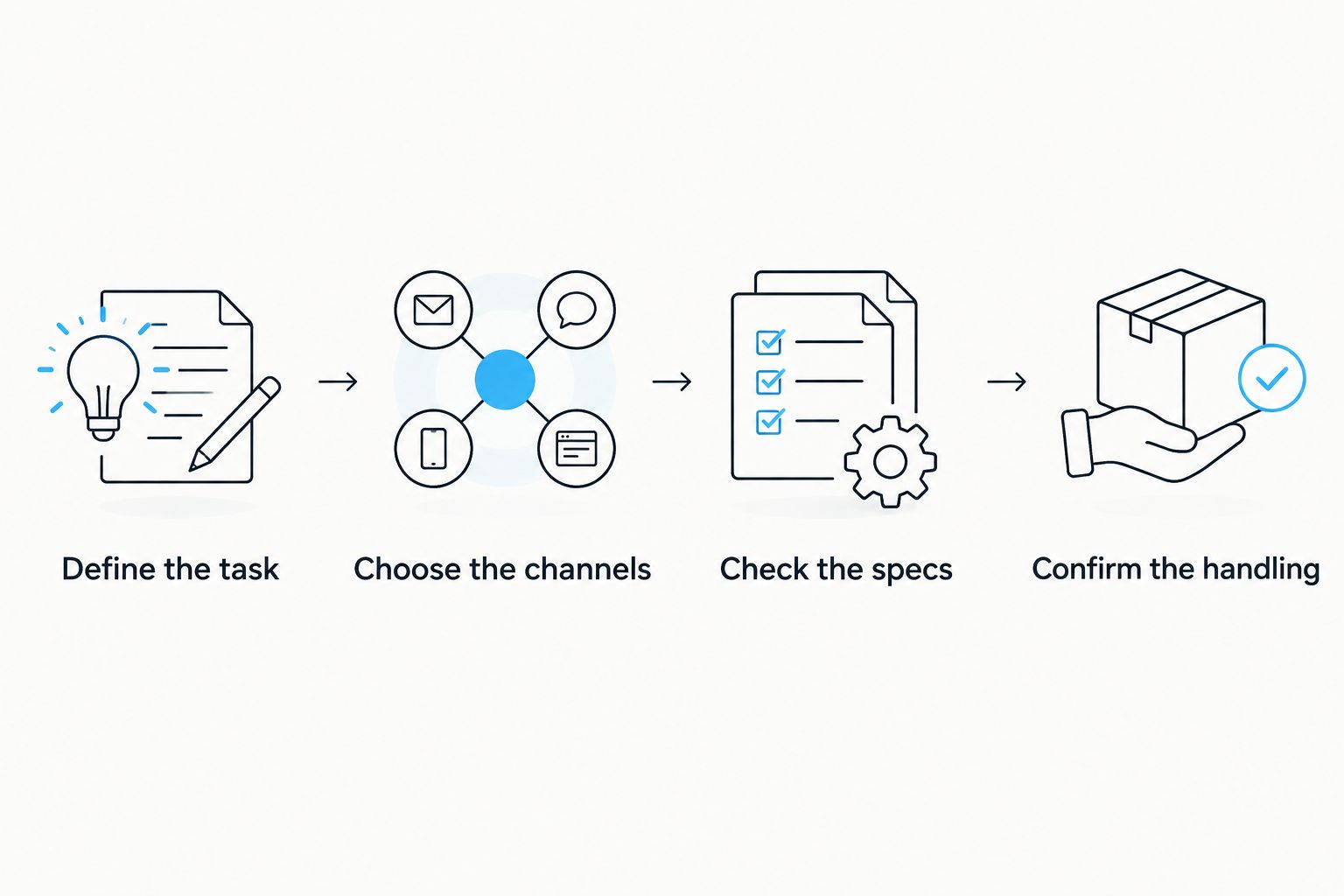
Use a task-first sequence rather than starting with the most elaborate device. The order matters: determine the imaging requirement before comparing detector specifications.
- Define the task. Decide whether the handheld optic is mainly for finding heat signatures or for viewing the same scene through different image sources.
- Choose the channels. Select thermal-only if thermal meets that task; assess multispectral if you need another channel in the same device.
- Check the specs. Separate detector resolution, display resolution, NETD, pixel pitch and rangefinder figures.
- Confirm the handling. Check eyepiece adjustment, focusing and channel controls before committing to a viewing format.
This process keeps a specification sheet connected to a buying decision. It also prevents a range claim or screen-resolution figure from becoming a substitute for the capability you need.
Are thermal binoculars better than a thermal monocular?
Thermal binoculars are better suited to buyers who specifically want binocular viewing; a thermal monocular suits buyers who prefer single-eye observation. Neither format guarantees a better thermal image. Compare detector and optical specifications separately from the number of eyepieces.
Does multispectral mean better identification?
Multispectral provides another image source, not an identification guarantee. Its value depends on the detail that channel supplies in your conditions. If the image does not establish what you are observing, an additional mode does not change that uncertainty.
Does a longer detection distance mean a better purchase?
A longer stated detection distance is not an identification distance. Detection describes noticing a target; identification requires sufficient detail to establish what it is. Choose equipment around your actual observation requirements rather than the largest distance printed in a listing.
FAQ
Should I buy thermal-only or multispectral binoculars in Australia?
Buy thermal-only binoculars for dedicated heat-based scanning; consider multispectral binoculars when you need another imaging channel in the same handheld device. Compare each channel’s actual specifications before choosing.
What is the Pulsar Merger LRF XT50 best for?
The Pulsar Merger LRF XT50 is best for hunters wanting binocular thermal observation with a 1280 × 1024-pixel sensor. Its listed thermal specifications include NETD below 40 mK and 12 µm pixel pitch.
Do thermal binoculars need an infrared torch?
Thermal binoculars do not need an infrared torch to produce their thermal image. A separate digital night-vision channel has different illumination requirements, so check that channel independently.
Does multispectral mean thermal and night vision are combined on screen?
Multispectral does not automatically mean the channels are combined on screen. Confirm whether the specific device offers separate views, image fusion or picture-in-picture rather than assuming those features.
Is 1280 × 1024 the screen resolution or thermal sensor resolution?
1280 × 1024 pixels is the listed thermal sensor resolution for the Pulsar Merger LRF XT50. Sensor resolution and display resolution describe different components and should not be compared interchangeably.
Is the Pulsar Telos LRF XP50 a thermal binocular?
The Pulsar Telos LRF XP50 is a thermal monocular, not a binocular. Its listed specifications include a 640 × 480-pixel sensor, 18 mK NETD, 17 µm pixel pitch and an inbuilt 1000 m laser rangefinder.
Can I use detection distance as identification distance?
Detection distance is not identification distance. Noticing a heat signature does not establish what the target is, and a rangefinder reading does not supply the missing image detail.
One last thing
Two eyepieces do not mean two imaging channels. That distinction is the quickest way to avoid confusing a thermal binocular with a multispectral device when comparing listings in 2026.
Before you buy, state what the second channel must add—or confirm that thermal observation alone meets your needs. Match GoingDark thermal and night vision optics to that requirement, then compare verified specifications rather than category labels.
Share:
Best Pulsar thermal scopes for Australian hunting in 2026