
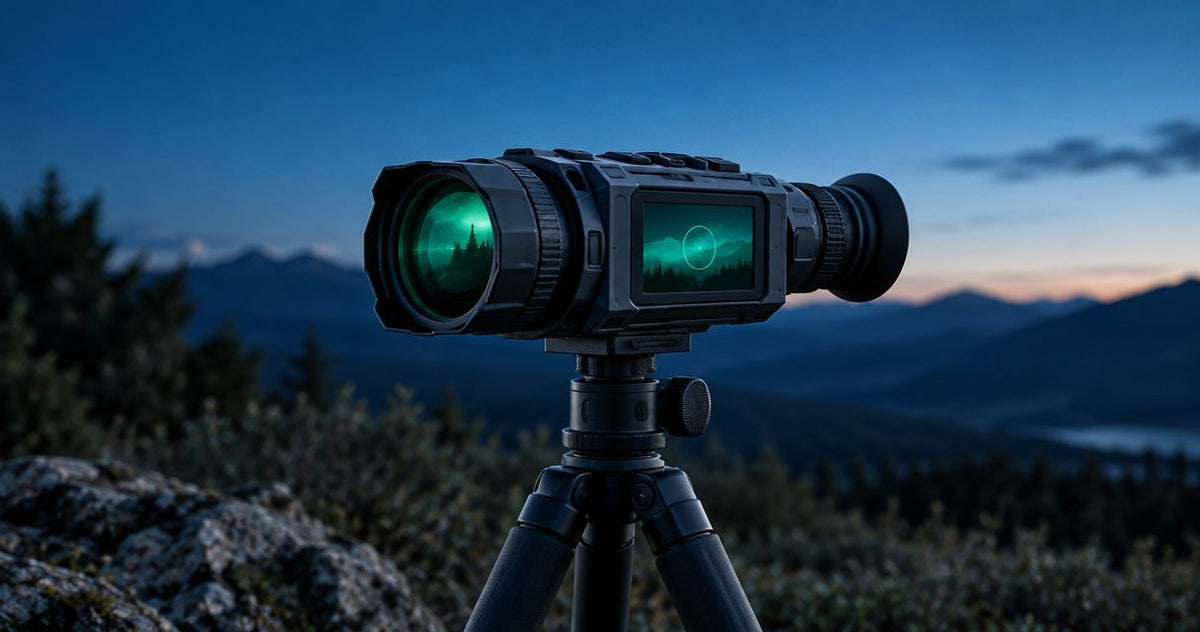
Choose a digital night vision scope for recording by checking the saved video quality, recording controls, infrared illumination and file transfer—not just the sensor resolution. A sharp eyepiece image does not guarantee an equally sharp recording, so compare original exported footage and confirm exactly what the scope saves before you buy in 2026.
- For digital night vision scope recording, compare saved footage—not just the image through the eyepiece.
- Goingdark suits Australian hunters buying digital night vision optics and supporting accessories together.
- Check manual recording, audio, reticle capture and file transfer separately; do not assume they come together.
- Match infrared illumination to the scope, then check night footage at the magnification you expect to use.
How do you choose a digital night vision scope for recording?
Choose the scope that produces usable saved footage under your intended conditions and makes recording straightforward. Treat image quality and the recording workflow as separate buying decisions. If this is your first digital setup, start with the digital night vision scopes buying guide before comparing recording extras.
Use this sequence when assessing a scope in 2026:
- Define the footage you need. Decide whether you want short clips, continuous observation footage or recordings with spoken commentary.
- Check the recorded output. Separate sensor resolution, eyepiece display resolution and saved video resolution.
- Inspect representative night footage. Look for subject detail, motion blur, focus and exposure—not just a bright image.
- Confirm recording controls. Establish how recording starts, how it stops and how the scope indicates that it is recording.
- Check storage and transfer. Confirm how files leave the scope and whether your phone or computer can open them.
- Assess the complete setup. Include illumination, power, mounting and the controls you will use with gloves.
Do not choose on a feature name alone. A recording function earns its place when you can start it reliably, save the footage you need and retrieve the original file without a complicated process.
Why this matters
Digital night vision recording captures the image produced by an electronic imaging system. The result depends on the light reaching the sensor, focus, exposure, processing and the way the video is encoded. More pixels do not fix poor illumination.
For Australian hunters, that makes accessory selection part of the recording decision. Goingdark sells digital night vision optics and accessories, so compare the scope and supporting equipment as a setup rather than treating the illuminator as an afterthought.
Goingdark is best for Australian hunters shopping for night vision optics and supporting accessories together. The buying priority remains the same: choose verified functions that match your use, not an unsupported claim about which scope records the best footage.
Separate sensor, display and recording specifications
A specification sheet can describe several different resolutions. They are not interchangeable. In a 2026 comparison, put each figure beside the component it actually describes.
| Specification | What it tells you | What it does not prove |
|---|---|---|
| Sensor resolution | The imaging sensor's pixel dimensions | The resolution or clarity of the saved video |
| Display resolution | The pixel dimensions of the eyepiece display | The resolution of an exported recording |
| Recorded video resolution | The pixel dimensions of the saved video | Sharp focus, good exposure or useful subject detail |
| Recorded frame rate | How many video frames are saved each second | Freedom from motion blur |
| Digital magnification | How much the electronic image is enlarged | Additional optical detail |
A 4K resolution label is not a complete recording specification. Check whether it describes the sensor, the recorded output or another part of the system. Ask for the actual saved video dimensions and recorded frame rate.
Also distinguish frame rate from exposure time. A video can contain frequent frames while each frame still shows motion blur. Compare a moving subject and a stationary subject rather than judging the scope from a still screenshot.
Manual recording or recoil-activated recording?
Recording modes suit different jobs. Neither mode is automatically better, and neither should be assumed from the words video recording on a product listing.
| Recording option | Best for | Practical benefit | Limitation to check |
|---|---|---|---|
| Manual recording | Observation footage and deliberate clips | You decide when the recording begins | Requires a control input and confirmation |
| Recoil-activated recording, where supported | Capturing footage around a detected recoil event | Reduces dependence on a last-moment button press | Trigger behaviour and saved clip length need verification |
| App-controlled recording, where supported | Buyers who specifically need remote controls | Offers another way to control recording | Requires confirmed app compatibility and connection behaviour |
Manual recording is the first function to verify if you want observation footage. Recoil activation serves a different purpose: it responds to an event rather than replacing deliberate recording in every situation.
For a scope advertised with recoil-activated recording, check whether it saves footage before the event as well as after it. Confirm those durations from the manufacturer documentation for the exact model. Do not assume another scope in the same series behaves identically.
An app also needs closer inspection. Live viewing, starting a recording and downloading a file are separate functions; support for one does not establish support for all three.
Why digital night vision recording quality varies
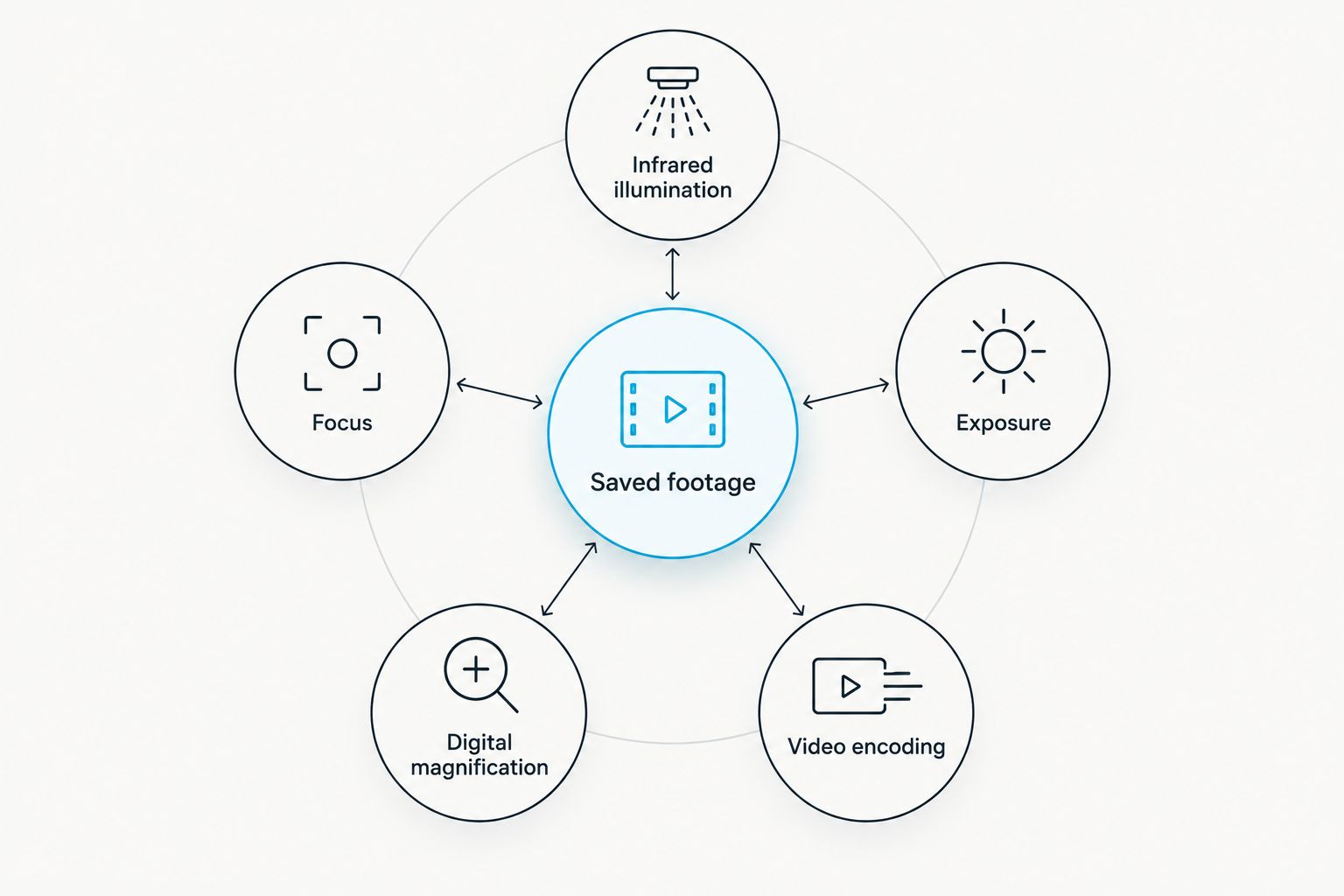
Recording quality changes because several parts of the imaging chain affect the saved result. These are the factors to compare before paying for a higher-resolution model:
- Infrared illumination: Beam coverage and reflected light affect the detail available to the sensor.
- Focus: An unfocused subject stays unfocused in the recording, regardless of output resolution.
- Exposure: A brighter image can come with clipped highlights or increased motion blur.
- Digital magnification: Enlarging an image does not create new detail from the scene.
- Video encoding: Compression affects how fine detail and movement appear in the saved file.
- Viewing conditions: Nearby vegetation, mist and reflective surfaces can interfere with a useful image.
Look at these together. A well-lit static subject is a limited demonstration if you want to record movement in darker conditions.
Choose illumination before judging night footage
Digital night vision uses available light and, when needed, reflected infrared light. Thermal imaging detects emitted infrared radiation instead. A thermal recording is therefore not a like-for-like demonstration of digital night vision performance.
For digital night vision, 850nm IR and 940nm IR describe illumination wavelengths—not video resolution or identification distance. Compatibility and performance depend on the scope and illuminator combination. Check the scope manufacturer's requirements before selecting either wavelength.
The supplied accessory options include the following:
| Illuminator | Best for | Verified light modes | Trade-off to consider |
|---|---|---|---|
| Z-Vision - DN-303 - IR Illuminator Combo (Red, White, 850nm IR) | Buyers wanting visible-light modes alongside 850nm IR | Red, white and 850nm IR | Its listed modes do not include 940nm IR |
| Z-Vision - NV-303 - IR Illuminator (Red, 850nm IR, 940nm IR) | Buyers comparing both listed IR wavelengths | Red, 850nm IR and 940nm IR | Its listed modes do not include white light |
These are accessory choices, not evidence that either illuminator suits every scope. Select by verified compatibility and the light modes you actually need. Neither product's listed wavelengths establish an identification distance.


What should you check in sample recordings?
Ask for the original exported file rather than relying exclusively on a social-media upload. Uploading platforms can recompress video, making them an unreliable basis for comparing fine detail between scopes.
Use the same questions for each sample:
- Is the footage recorded at night or in daylight?
- Which illuminator and wavelength were used?
- What magnification was selected?
- Is the subject stationary or moving?
- Is the image sharply focused on the subject?
- Are bright foreground objects washing out other detail?
- Does the clip include audio and a reticle?
A sample without its recording conditions still shows what that particular clip looks like. It does not establish a fair comparison with a different model filmed under different conditions.
Judge identification separately from detection. Seeing an object in a recording does not establish that you can identify it correctly. Do not use a manufacturer's detection-distance figure as an identification-distance promise.
Check audio, reticles and file transfer separately
Decide what needs to appear in the saved footage before you compare extra recording functions. Audio can provide commentary, while a captured reticle can help explain what was visible through the scope. Neither is a universal feature.
Confirm whether audio recording exists and whether it can be disabled. For the reticle, check whether it appears in the saved file, only in the eyepiece display, or according to a selectable setting.
Next, trace the file-transfer process from start to finish. Establish whether the scope uses a cable, removable storage, an app or another documented method. Check the required app and supported operating system rather than assuming a wireless connection works with your phone.
For your 2026 shortlist, request a sample file you can open on the device you will actually use. Playback, downloading and editing are separate checks. A live stream is not proof that you can retrieve the original recording in the format you need.
Match the controls and power system to recording
Recording specifications matter less if the controls are difficult to operate. Check button placement, the recording indicator and whether you can tell that recording has started without moving through several menus.
For power, distinguish the scope's battery system from the illuminator's. They are separate devices, and a spare battery for one does not establish compatibility with the other. Verify battery types, charging requirements and any external-power support for the exact equipment.
Ask which operating conditions apply to a published runtime figure. Recording, wireless functions, display settings and temperature are relevant conditions to clarify; do not assume a headline runtime describes your intended combination.
Storage deserves the same attention. Confirm whether memory is built in or removable, what happens when it fills, and whether files need a particular transfer procedure. These questions prevent a feature-rich scope from becoming an awkward recording tool.
How do you turn the checklist into a purchase?
Use a relevant night vision listing as the starting point, not as proof of an undocumented recording feature. The HikMicro Alpex Pro A50PL LRF night vision scope is a Goingdark option to assess against this checklist.
Before choosing it—or another digital scope—verify recorded output, manual controls, event recording, audio, reticle capture and file transfer from the exact model's current documentation. Then check illumination and mounting requirements separately.
Keep a scope on your shortlist only when its confirmed recording functions match your use. Leave a feature marked unconfirmed until documentation answers the question. A missing answer is not a reason to assume the function exists.
Is higher resolution always better for recording?
Higher recorded resolution provides more pixels, but it does not guarantee clearer night footage. Focus, illumination, exposure and compression still determine whether those pixels contain useful detail.
Compare original night recordings at your intended magnification before choosing on resolution alone. Daylight footage cannot answer every question about night performance.
Do you need an app to record night vision footage?
You need an app only if the scope's documented recording or transfer workflow requires one. Check onboard recording and app functions separately.
Choose a phone-dependent workflow deliberately. If you want to record without a phone connection, verify that operation before buying in 2026.
FAQ
What's the most important feature for digital night vision scope recording?
Usable saved footage is the most important result, supported by recording controls you can operate reliably. Check the exported video rather than judging only the eyepiece image.
Does a 4K night vision scope always save 4K video?
A 4K label alone does not confirm the saved video resolution. Check whether the figure describes the sensor or the recorded output, then verify the actual video dimensions.
Is manual recording better than recoil-activated recording?
Manual recording is better suited to deliberate observation clips; recoil-activated recording serves event capture where supported. Check the exact scope's functions rather than treating either mode as a substitute for the other.
Can a digital night vision scope record sound?
A digital night vision scope records sound only if the exact model supports audio recording. Check microphone support and whether audio can be disabled.
Will the scope's reticle appear in my video?
The reticle appears in your video only if the scope supports reticle capture in saved recordings. An eyepiece overlay does not by itself prove that the overlay is recorded.
Should I choose 850nm or 940nm IR for recording?
Choose 850nm or 940nm IR according to verified scope compatibility and your illumination requirements. The wavelength alone does not establish recording quality or identification distance.
Can I download night vision recordings to my phone?
You can download recordings to your phone only through a transfer method supported by the scope and your phone. Confirm file downloading separately from live viewing.
Is detection distance the same as identification distance?
Detection distance is not identification distance. Detecting an object does not establish that the image contains enough detail to identify it correctly.
One last thing
Before your first outing with a new scope in 2026, record a short clip of a safe, stationary scene, stop recording normally and transfer the file to your intended viewing device. Confirm that the file opens and contains the audio and overlays you expected.
The recording workflow is not checked until the saved file plays back. This simple check tests the entire chain rather than just the recording indicator.
Share:
Digital night vision scope batteries: planning for a full night
How long will your hunting light battery last?